Instant replies
Reply to every enquiry straight away
The venue that replies first usually wins the booking. CertaFunctions sends every enquiry a reply the moment it’s entered, written for its type of function and in your venue’s words.
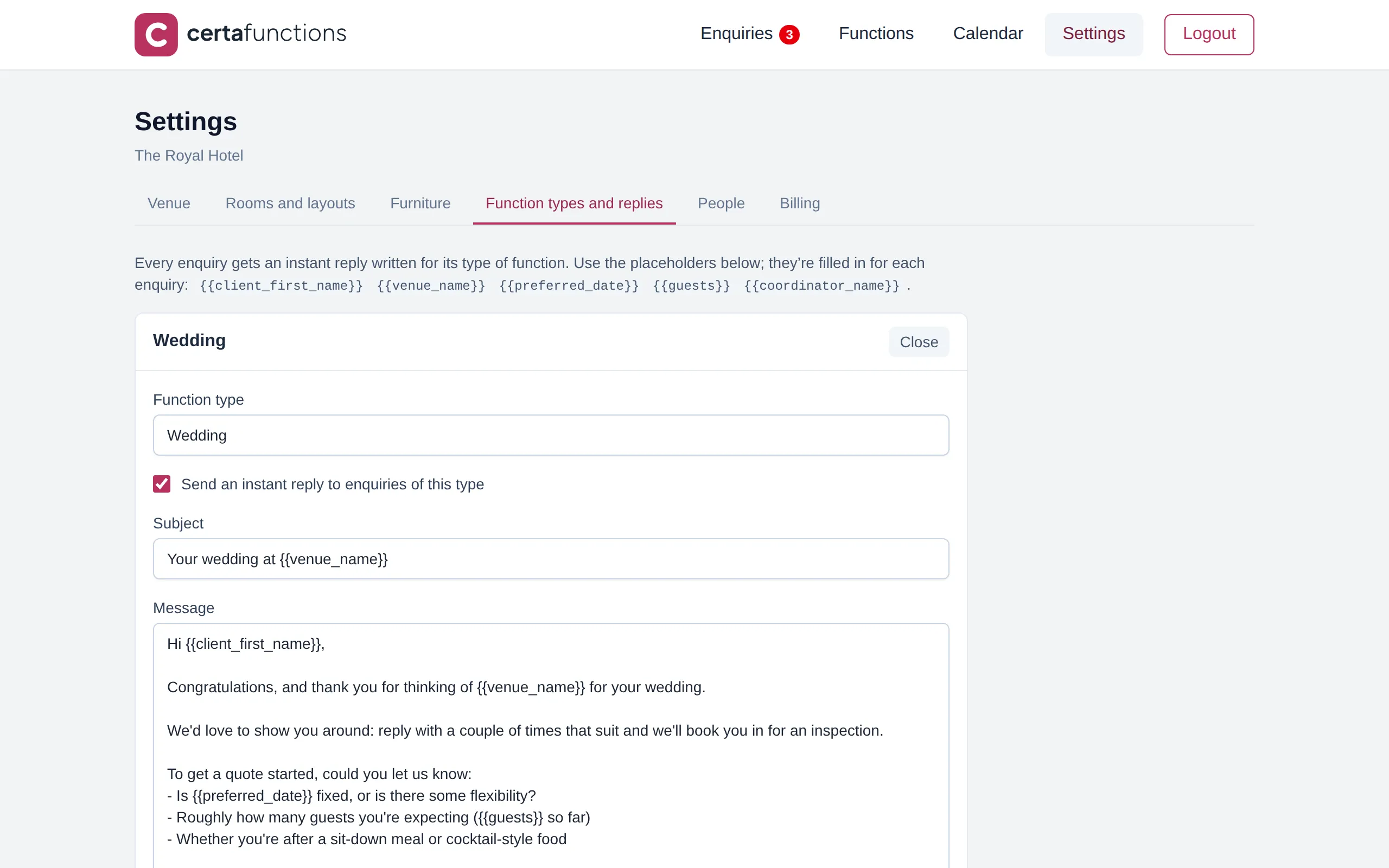
What you get
Written for the occasion
A different reply for weddings, birthdays, corporate events, Christmas parties, wakes and more.
Personal
The client’s name, the date they want, their guest numbers and the coordinator’s name are filled in.
Your words
Start from ready-made replies and change them to suit your venue, or write your own.
On or off by type
Choose which types of function get an instant reply.
You can see it went
Each enquiry shows when its reply was sent, and you can send it again.
Your own function types
Add the kinds of function your venue hosts, each with its own reply.
How it works
- Go to Settings → Function types and replies.
- Choose Edit reply for a type of function and write the subject and message, using the placeholders for the client’s name, the date and guests.
- Enter an enquiry: the reply for its type goes to the client straight away.
Step-by-step details are in the knowledgebase.
Common questions
Who is the reply from?
It’s sent by CertaFunctions on your venue’s behalf, with your venue’s name, and replies from the client come back to you.
What can I put in a reply?
Anything you’d say in a first email: thanks, an invitation to inspect the venue, and the questions you need answered to quote. Placeholders fill in the client’s first name, your venue, the date, guests and the coordinator.
Can I turn it off for some functions?
Yes. Each type of function has its own switch.
More features
See CertaFunctions at your venue
Start a free 30-day trial. No setup fees and no credit card.