Enquiries and follow-ups
Never drop a function enquiry again
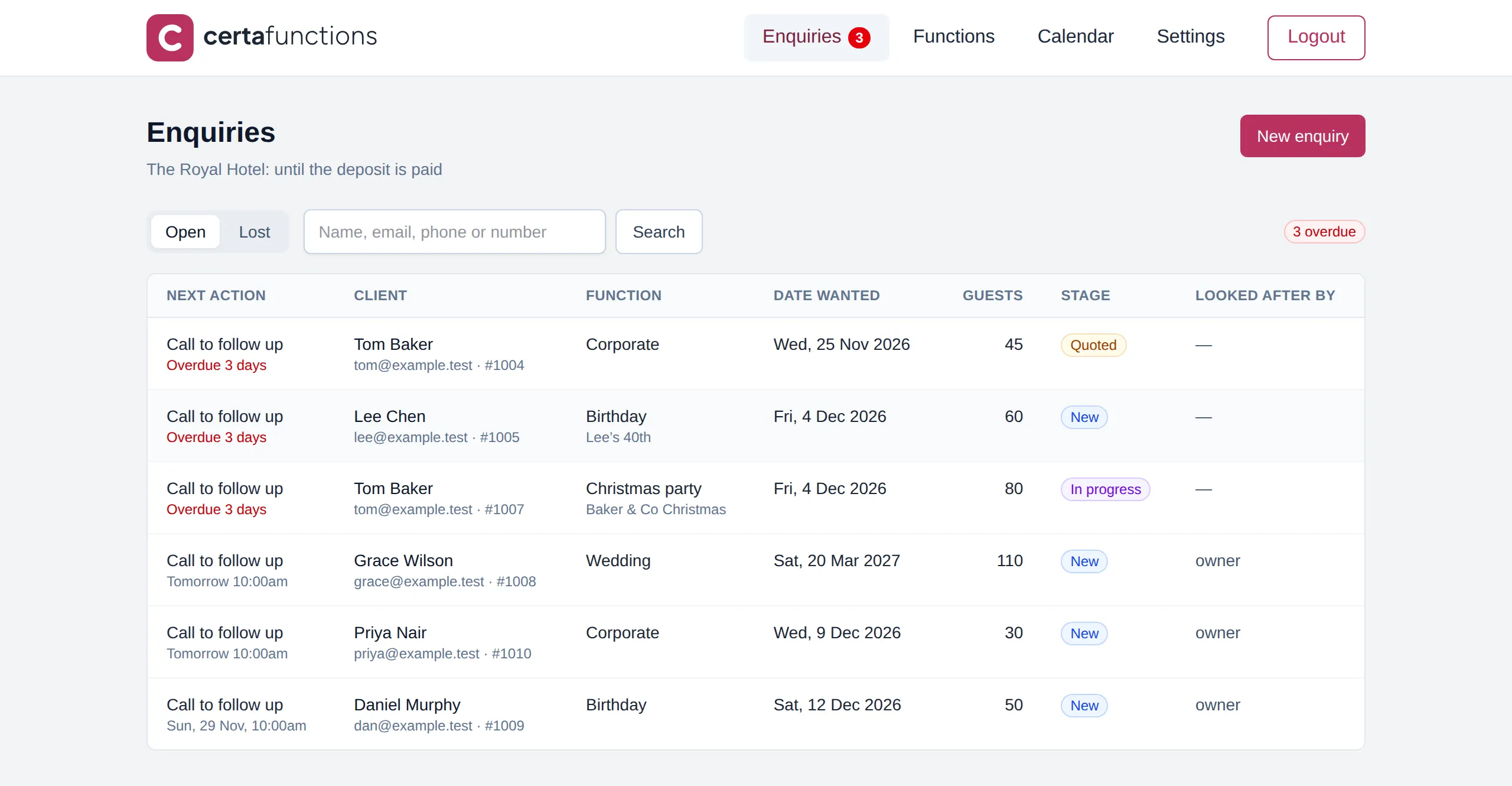
Phone calls, emails and walk-ins all go in one list. Every enquiry has a next action with a due time, overdue follow-ups are flagged, and you can see who’s looking after each one.
What you get
In seconds
Enter the client, type of function, date, guests and what they said, while they’re still on the phone.
A next action, always
Every enquiry has something to do next and when: call back tomorrow at 10, show them around Saturday.
Overdue stands out
Overdue follow-ups go to the top in red, with a count on the menu, so nothing goes quiet.
Clear stages
New, in progress, quoted, accepted and confirmed, with the room held as tentative on the calendar.
Clients remembered
A returning client is recognised as you type, with all their functions together.
Lost, with a reason
Booked elsewhere, over budget, no reply: lost enquiries are kept with why, out of the way.
How it works
- Choose New enquiry and enter who’s asking, the type of function, the date and guests.
- Set the next action, such as Call to follow up, and when. An instant reply goes to the client straight away.
- As it moves along, note each call and email in its history and move it through the stages.
- When the deposit is paid, choose Confirm: deposit paid. It moves to Functions and the calendar shows it confirmed.
Step-by-step details are in the knowledgebase.
Common questions
Where do enquiries come from?
You enter them as they come in, by phone, email or in person. A web form for your own website is on the way.
Can several people work on enquiries?
Yes. Add your function coordinators and managers, and each enquiry shows who’s looking after it.
What happens to an enquiry once it’s confirmed?
It becomes a function, listed by date under Functions, with all its history. Mark it completed once it has happened.
Does it cost extra per user?
No. The price is per venue, with as many users as you need.
More features
See CertaFunctions at your venue
Start a free 30-day trial. No setup fees and no credit card.